Assessment generation software for NZ PTEs uses AI to draft assessment tasks, marking guidance and assessor guides mapped to unit or skill standards. NZQA doesn't approve or certify any such tool, and your PTE stays accountable for assessment and moderation. So choose on moderation fit, standards currency and audit trail, not headline speed claims.
What is assessment generation software, and does NZQA approve it?
It's software that drafts assessment instruments for a specific standard. That usually means tasks, marking guides and assessor guides. Some tools also produce training material, and most promise mapping back to the standard's outcomes and performance criteria.
NZQA publishes no vendor-evaluation criteria and no product certification for this category. Our research found no NZQA rule or guidance specifically governing AI tools that generate assessment materials for PTEs. Vendors in the space say the same: NZQA doesn't approve any tool, and the PTE remains accountable.
One trap to avoid. NZQA's published AI guidance covers schools (authenticity policies, acceptable use). It isn't a PTE rule, and you shouldn't treat it as one.
Can AI-generated assessments go straight to moderation?
They can go *to* moderation. They can't skip it. NZQA expects PTEs to run an effective internal moderation system. New assessment materials, meaning tasks and marking guidance, must be moderated before use with learners. They must be moderated again each time they're changed or updated. A generated draft gets no exemption.
That shifts the question. Don't ask "how fast does it write?" Ask "what lands in front of my moderator?" A useful tool hands pre-assessment moderators the task, the marking guidance, the assessor guide and the mapping together, in a form they can review and challenge.
A qualified assessor should still read, edit and approve everything. AI assists the practitioner. It doesn't replace their judgement, and it doesn't replace moderation.
How do you check a tool maps to current standards?
This matters more than it used to. Every DASS standard carries Consent and Moderation Requirements (CMRs). From 1 January 2026 the eight Industry Skills Boards maintain industry unit standards, run national external moderation and endorse consent-to-assess applications. Mapping to a stale version of a standard is a real risk.
Ask the vendor:
- How do you track changes to standards and CMRs, and how quickly do updates reach my workspace?
- Can I pull the current standard in myself and see its version?
- How do you confirm custodianship now that Industry Skills Boards hold it?
- Can existing materials be re-mapped when a standard changes?
- Which standard types are supported: unit standards, skill standards, whole programmes?
Vendor commentary says skill standards are progressively replacing unit standards. We couldn't verify that against NZQA rules text, so check the current position for the standards you actually deliver. Then make the vendor show you how its tool handles both.
What evidence do you need for NZQA's generative AI self-review question?
Under the Quality Assurance of Tertiary Education Providers Rules 2026 and iQAF, providers need an up-to-date quality management system and annual self-review. If you don't have a qualifying system, it must be in place before 1 January 2027. NZQA is not beginning new EER processes from 1 January 2026.
For the July 2026 to July 2027 self-review period, NZQA's thematic question is "Use of Generative AI in Delivery and Assessment". PTEs report on opportunities, activities and outcomes. You can't report on what you can't document.
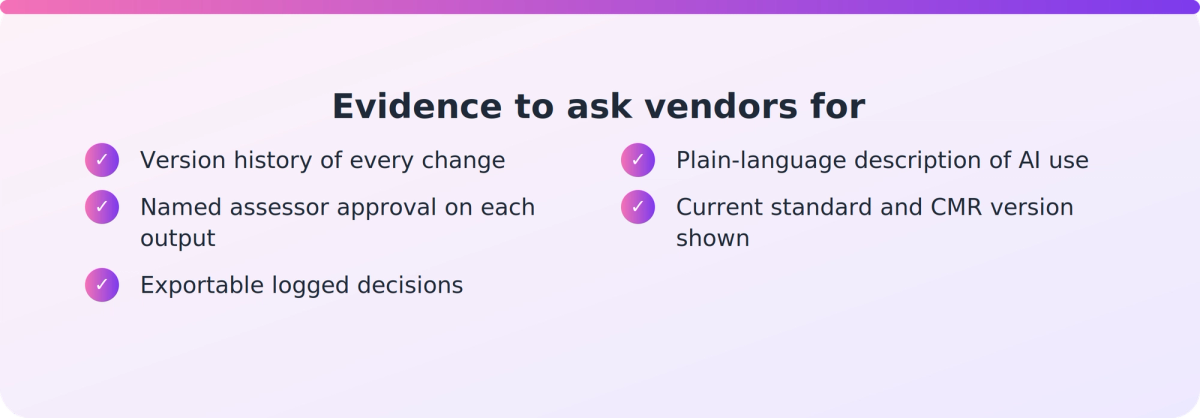
So ask what a vendor can give you:
- Version history showing what changed, when and by whom.
- Role-based approval, so you can show a named assessor signed off each output.
- Logged decisions you can export into your own quality management system.
- A plain description of how AI is used in the workflow, in words you can put in a report.
Criteria to weigh when comparing tools
Use the same list for every vendor, including ours.
- Moderation fit. Tasks, marking guidance, assessor guides and mapping in reviewable form.
- Mapping and traceability. Clear links to outcomes and performance criteria.
- Standards currency. A stated process for tracking standards and CMRs.
- Human review and audit trail. Approval roles, version history, logged decisions.
- Context fit. Classroom, workplace and distance delivery, plus ESOL and LLN learners, without rewriting from scratch.
- Evidence behind claims. References you can call, and a pilot you run yourself.
- Data, IP and hosting. Where data sits, and how your own templates, policies and house style are used. Verify this directly with the vendor.
- Outputs and workflow. Editable Word, print-ready, LMS-ready, and how your existing materials come in.
How should you pilot a tool?
Treat time-saving figures as unverified until you've tested them. Pick one or two standards you know well, ideally one with awkward delivery context. Generate, then run the output through your normal moderation process with your normal moderators.
Measure what matters to you: how many moderation comments came back, how much rewriting was needed, and whether the mapping held up when someone challenged it. Then check whether the audit trail would satisfy you if you had to explain it in a self-review report.
Where does VETos fit?
VETos is one option, and a fair fit for some PTEs. It's built for NZ PTEs, polytechnics and wānanga. It generates assessment tools with a matching assessor guide and mapping document, linked to unit and skill standards. That's vendor-stated, so test it.
Its described workflow has assessors review and approve output before use, and it checks assessments for gaps before moderation. It supports human moderation and doesn't replace it. It also keeps version history, currency control and audit trails, and can upgrade existing materials to a new standard with mapping regenerated. A Theory/Practical mode generates for the intended delivery context, and learner support covers ESOL and literacy and numeracy. Exports are editable Word and print-ready Adobe InDesign (.idml).
A few honest caveats. Mast Academy, an NZ PTE, is the only named NZ customer. Its 80% figure and "six weeks to six minutes" claim are the vendor's own, unverified, and the case page is dated. Hosting (AWS in Australia, ISO 27001 and NZ Information Security Manual alignment) is vendor-described. Confirm it directly. We found no published pricing. If you want to look, the VETos product page is the place to start, and a pilot against your own moderation process is the best test.
Key takeaways
- NZQA doesn't approve or certify assessment-generation tools. Your PTE stays accountable for assessment and moderation.
- Generated materials must be moderated before use with learners and again after any change.
- Check standards currency now that Industry Skills Boards maintain industry unit standards and CMRs.
- For NZQA's 2026-27 generative AI self-review question, you need a documented review trail, not just fast output.
- Treat speed claims as unverified until you've run a pilot through your own moderation process.
Our take
Most buying conversations start with speed, and that's the wrong end. Drafting was never the hard part of assessment. Defending it was: to a moderator, to an Industry Skills Board, and now to NZQA's self-review. The best tool is the one that makes your existing moderation system easier to run and easier to evidence. If a vendor can't show you the audit trail, keep looking.