No. ASQA doesn't approve, endorse or certify simulation assessment software for RTOs, so 'standards-ready' is vendor language, not a regulatory status. Under the Standards for RTOs 2025, you test a platform against each unit's Assessment Requirements: can a qualified assessor trace scenarios to them, see realistic conditions, and keep every competency decision?
That's the whole buying problem in one paragraph. The rest of this guide helps you work through it, without a hard sell and with the trade-offs left in.
Does ASQA approve simulation assessment software for RTOs?
The research behind this guide found no ASQA accreditation, endorsement or certification scheme for simulation or assessment software. It also found no ASQA statement that any tool is 'approved' or 'standards-ready'. If a vendor uses either phrase, ask what it actually refers to.
The 2025 Standards for RTOs took effect on 1 July 2025 and are enabled by the National Vocational Education and Training Regulator Act 2011. They comprise the Outcome Standards, the Compliance Standards (including the Fit and Proper Person Requirements) and the Credential Policy. The Credential Policy detail comes from a consultancy source (Knowledge Foundry), not ASQA directly.
So the responsibility sits with you. Your RTO has to show that the tools it uses produce valid, sufficient assessment evidence for the units it delivers.
When can an RTO use simulation instead of workplace assessment?
The training package decides. ASQA's Guide to assessment tools says some units require workplace assessment. Others allow simulated conditions that represent the workplace as closely as possible, for reasons such as safety, space or access to equipment.
The deciding text is the unit's Assessment Requirements on training.gov.au. Read them before you read any vendor brochure.
ASQA's online training and assessment guidance adds that simulated assessment must meet the training package's assessment conditions. That includes realistic workplace conditions and the stated equipment and resources. It gives role-play scenarios in a real-time video-based assessment as an example.
What must the simulated environment replicate?
The 2015 Users' Guide said simulated environments must fully replicate the resources, environment and any time and productivity pressures of the actual workplace. That's the earlier standards, and we couldn't confirm the 2025 Practice Guides repeat the wording. Treat it as a useful benchmark, not current regulatory text.
Formative practice tool or assessment-evidence platform?
This is the distinction buyers most often blur. Two different products can both be called 'simulation software':
- Formative practice tools help learners build skill before assessment. They offer role plays, interactive scenarios and coached repetition with feedback. They don't make competency decisions.
- Assessment-conditions simulators and assessment-design tools support the evidence an assessor uses. They need scenario instructions, marking guides, mapping and review records that stand up to scrutiny.
Both are legitimate. Problems start when a practice tool is presented as assessment evidence, or when a vendor won't say which one it is. Ask plainly.
What to look for: ten criteria to weigh
Use these as a scoring sheet when you compare vendors.
- Traceability. Can each scenario be mapped to the unit's elements, performance criteria and Assessment Requirements conditions?
- Fidelity. Does it replicate real workplace resources, environment and time or productivity pressures? Can you show the setting reflects current industry practice?
- Assessor control. Does a qualified assessor review, validate and make every competency decision, with AI assisting rather than deciding?
- Evidence trail. Are simulation instructions, assessor and marking guides, mapping documents and pre-use review records easy to produce and keep versioned?
- Fit with the unit. Does the tool avoid substituting simulation where the package requires workplace assessment?
- Facilities fit. Is it accessible, safe and sufficient for your learners, including delivery by link, phone or LMS?
- Integration. Does it work with your LMS or student management system (SCORM, LTI and similar) rather than adding a silo?
- Currency. How is content kept current as training packages change?
- Claims discipline. Does the vendor avoid unsupported 'ASQA-approved' language and say whether the product is formative practice or assessment evidence?
- Coached repetition. Does it support repeated practice with feedback, or one polished simulation that tests a learner once?
Where does Standard 1.8 fit?
Standard 1.8 requires facilities, resources and equipment to be fit-for-purpose, safe, accessible and sufficient. A software platform plausibly counts as a facility for online delivery. That reading comes from consultancy commentary (CAQA), not ASQA text, so treat it as a sensible test rather than settled rule.
The same commentary says ASQA has a data collection on workplace assessments in Individual Support, Carpentry and Early Childhood Education, and that Standard 1.8 would be used to test whether classroom simulation is substituted where workplace assessment is required. That's secondary reporting. Verify it on ASQA's site before relying on it.
What should you check before an AI-generated scenario is used for a competency decision?
AI can draft scenarios quickly. It doesn't carry accountability. A qualified assessor does.
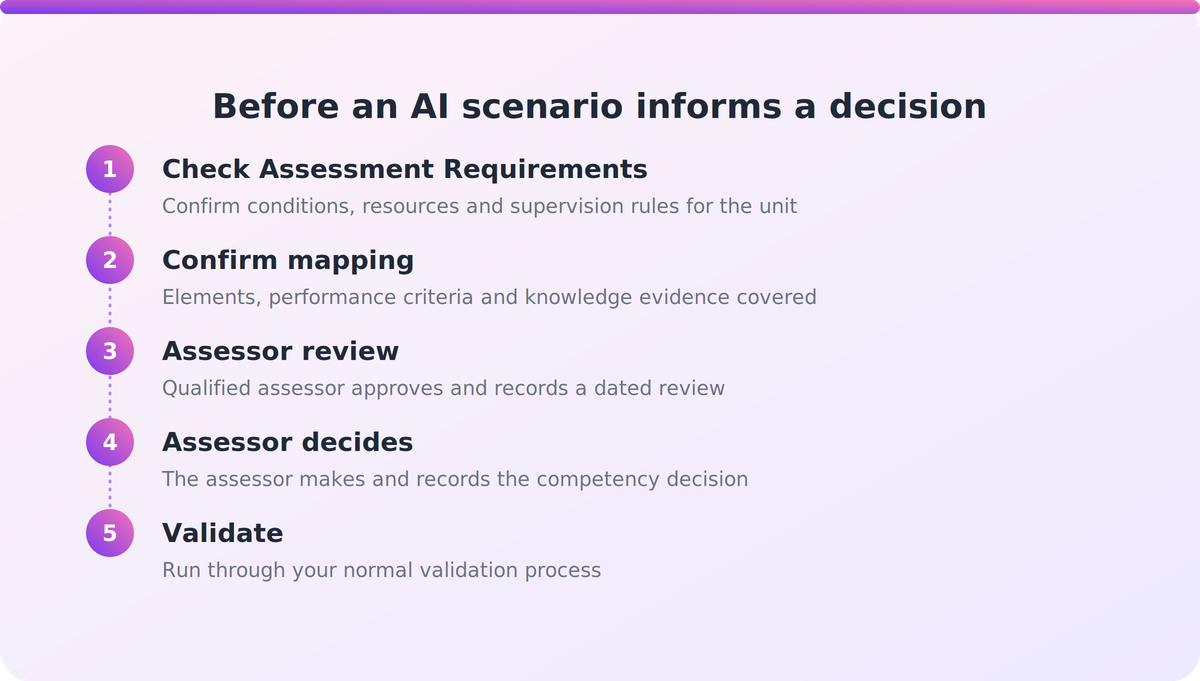
Before any AI-generated scenario feeds a competency decision, work through this:
- Check it against the unit's Assessment Requirements, including any conditions on resources, environment and supervision.
- Confirm it covers the elements, performance criteria and knowledge evidence, with the mapping documented.
- Have a qualified assessor review and approve it, and keep a dated record of that review.
- Confirm the assessor, not the tool, makes and records the competency decision.
- Run it through your normal validation process.
Consultancy summaries say assessment tools must be reviewed before use and each training product validated at least once every five years. Their clause numbering is inconsistent, so check the exact clauses against the legislative instrument rather than quoting a secondary source.
Where Supahuman and VETos fit, honestly
One fair example from this category. Nova is the delivery companion to VETos. It generates role plays with an AI counterpart, interactive simulations, narrated video and coached practice from the same units and mapping used elsewhere in the VETos workspace.
Nova is positioned as formative practice. It doesn't mark, and assessors keep every competency decision. Learners can use it from a link, as a phone app, or through an LMS via SCORM and LTI 1.3, and a training advisor gives criterion-by-criterion feedback on practice tests or mock assessments.
On the VETos side, simulated scenarios for skills that can't be assessed by direct observation sit in the assessment-design module, not in Nova. VETos is described as mapped against the 2025 Standards, with outputs versioned and logged. Those are vendor claims, and we're not aware of named Australian customer outcomes to point to. Test them the way you'd test anyone else's.
Key takeaways
- ASQA doesn't certify or approve simulation software. Treat 'standards-ready' as a claim to test.
- The unit's Assessment Requirements decide whether simulation is allowed at all.
- Simulated conditions must reflect the workplace and meet the package's stated resources.
- Separate formative practice tools from tools that support assessment evidence, and ask vendors which they are.
- AI assists. A qualified assessor reviews, validates and makes every competency decision.
Our take
Most of the risk in this category sits in vague language, not in the technology. A tool can be excellent and still be sold as something it isn't. We'd rather see RTOs buy a clearly labelled formative practice tool and use it well than buy an 'approved' simulator that doesn't exist. Start with your highest-risk units, read the Assessment Requirements first, and let the software earn its place from there.
FAQ
Does ASQA approve or certify simulation assessment software?
No. The research found no ASQA accreditation, endorsement or certification scheme for simulation or assessment software, and no ASQA statement that a tool is 'approved' or 'standards-ready'. RTOs must test any platform against their own training packages and the Standards for RTOs 2025.
When can an RTO use simulation instead of workplace assessment?
Only where the unit's Assessment Requirements allow it. ASQA says some units require workplace assessment, while others permit simulated conditions that represent the workplace as closely as possible. Check the unit on training.gov.au first.
How do I tell a formative practice tool from assessment-evidence software?
Ask the vendor directly. Formative tools build skill before assessment and don't make competency decisions. Assessment-evidence tools need traceable mapping, marking guides, review records and assessor control. Be wary of vendors who won't say which they are.
What should I check before using an AI-generated scenario for a competency decision?
Have a qualified assessor check it against the unit's Assessment Requirements, confirm elements and performance criteria are mapped, record the review, and put it through validation. The assessor makes the competency decision, not the AI.
Is Nova a marking or assessment engine?
No. Nova is positioned as formative practice. It doesn't mark, and assessors keep every competency decision. It's aimed at building skills before assessment, not replacing assessor judgement. You can read more at supahuman.com.