AI role play software for RTOs lets learners rehearse workplace conversations and scenarios against an AI counterpart. Under the Standards for RTOs 2025, it's best bought as a practice and formative-feedback tool. Qualified assessors still make every competency decision, and you still need evidence the learner demonstrated the skills under the training package's assessment conditions.
What is AI role play software for RTOs, and what can it legitimately do?
It's software where an AI plays a customer, client, patient, colleague or supervisor, and the learner talks (or types) their way through a scenario. Some tools add narrated video, simulations, or a coach that gives feedback afterwards. The point is repetition: learners get to practise a hard conversation several times before they face a real one.
That's a real teaching benefit. It is not a compliance mechanism. The 2025 Standards for RTOs took effect on 1 July 2025 and sit under the NVETR Act 2011. Any tool you buy has to support *your* compliance with them. Nothing in the sources we reviewed shows a tool can deliver that compliance for you.
Can AI role play be used for assessment, or only for practice?
Treat it as practice first. ASQA's online training guidance says simulated assessment must meet the assessment conditions in the training package. That means realistic workplace conditions, plus the equipment and resources listed in the Assessment Requirements. It cites role-play scenarios in real-time video-based assessment as an example of simulation.
AI is a different matter. ASQA's Assessment Practice Guide says RTOs can show they reviewed assessment tools before use, for example by consulting industry and confirming that AI in assessments matches workplace expectations and doesn't compromise skill demonstration. It also says additional evidence, such as oral questioning or practical demonstration, is needed to supplement AI-assisted work.
Per The Sector's reporting, ASQA's guidance puts it plainly. An AI tool could help a student prepare for a workplace conversation, but the RTO still needs evidence the student personally demonstrated the required skills under the specified conditions. We saw those principles through secondary sources, so read ASQA's own AI use in VET page before you finalise your policy.
The practical rule: AI assists, a qualified assessor decides, and the decision is validated and documented like any other.
What should an RTO check before buying?
There's no ASQA approval scheme, endorsement or independent benchmark for these tools. The checking is on you. Work through these.
Training package mapping and realism
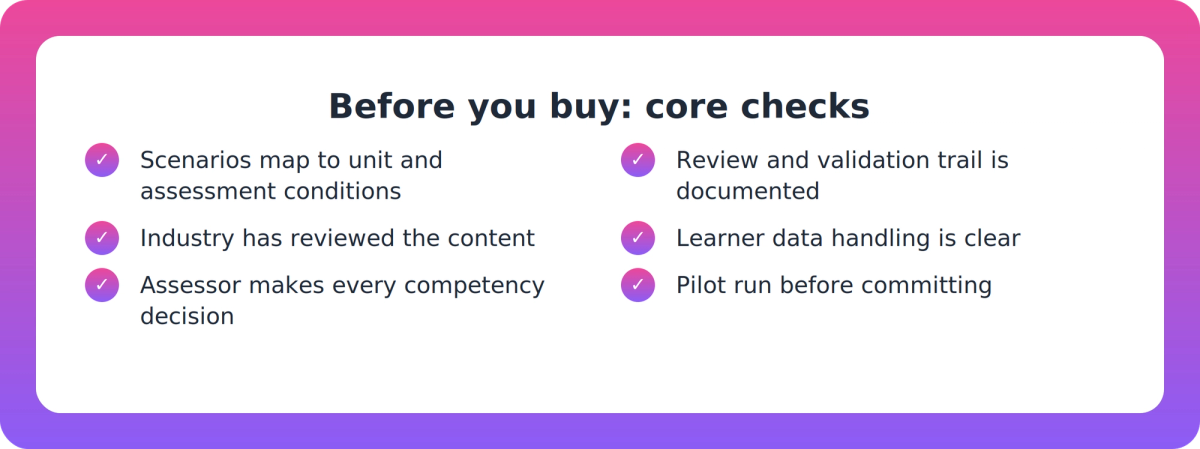
- Mapping: Do scenarios map to the unit's elements, performance criteria and the assessment conditions in the training package? Ask to see it for one of your own units.
- Realism and industry currency: Can the vendor show how the simulation reproduces real workplace conditions and pressures, not just a convincing avatar? Has the content been reviewed with industry?
- Formative or summative: Is the tool built for practice and feedback, or does it claim to produce assessment evidence? Be wary of any tool that blurs the two.
ASQA's Facilities, Resources & Equipment Practice Guide (Standard 1.8) expects you to demonstrate that simulated environments reflect current industry settings. It names over-reliance on simulated work environments, virtual supervisor observations, and recording assessment activities in public spaces without considering privacy as known risks.
Assessor control and your review trail
- Assessor control: Does a qualified assessor make every competency decision?
- Review trail: Can you keep a documented review and validation record for AI-generated scenarios, consistent with Standard 1.4?
- Supplementary evidence: Can you still collect oral questioning, practical demonstration or direct observation alongside AI-assisted practice?
Consultant commentary, such as SKG Consulting's, is consistent here: assessor accountability stays with the assessor.
Data and AI governance
- Data handling: How are learner data and recordings collected, stored, shared and hosted? Voice and video of learners raise real privacy questions.
- AI governance: The Department of Industry, Science and Resources published the voluntary Guidance for AI Adoption on 21 October 2025. It sets six practices: decide who is accountable, understand impacts, measure and manage risks, share essential information, test and monitor, and maintain human control. It's a sensible lens for vendor due diligence.
Privacy Act and OAIC obligations weren't covered in our research, so check them directly with your own advisers.
Integration, pricing and evidence
- Admin fit: Check SCORM/xAPI, AVETMISS and USI compatibility, LMS delivery and hosting before anyone scopes bespoke integration work.
- Pricing and limits: Ask about fair-use minutes, credit models and what happens at scale.
- Evidence: Look for published customer outcomes or independent evaluation. We found no independent outcome evidence for vendors in this category, so vendor claims are self-described. Treat that as a reason to pilot.
Which tools exist, and how do you compare them?
The category isn't formally defined, so you'll see overlap between sales role-play platforms, VR providers, voice-based role-play tools and instructional design products. Names that appear in the Australian market include Virti, Evolve Sim, VR Centre and Supahuman's Nova. We haven't evaluated most of them, and each is a vendor self-description with no ASQA endorsement.
As one of those vendors, here's where Nova stands, so you can weigh it as you would any other:
- It generates role plays, simulations, narrated video and coached practice from an RTO's own training products. It delivers them by link, phone app or LMS.
- Voice role play has the AI play the counterpart in character against session objectives. The home page example is built around CHCCCS019 Recognise and respond to crisis.
- It's positioned as formative only. It doesn't mark, and assessors keep every competency decision.
- It describes an AI quality review on every experience, with human approval where the review isn't certain. Our own buyer guides still say a qualified assessor must validate AI-generated scenarios against training package requirements.
- It has no authoring tool, so it suits RTOs wanting contextual practice rather than a content-building workbench.
Limits to know about: build-speed claims (about 20 minutes for a programme's worth of practice) are the vendor's own. We found no published customer outcome data. Activity-type counts differ across Supahuman pages, and usage runs on fair-use minutes and credits. Also, don't confuse it with VR Centre's NOVA, which is a separate AI tutor product.
How do you pilot before committing?
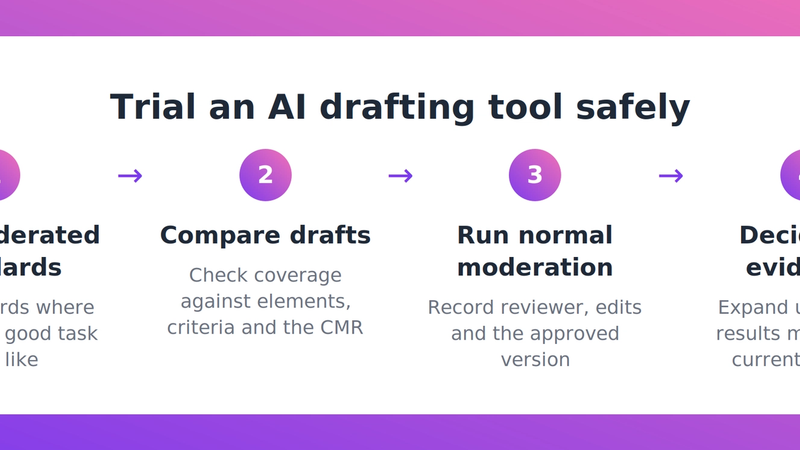
- Pick one or two units where learners struggle with live conversations.
- Ask the vendor to build a scenario for each, and map it to elements, performance criteria and assessment conditions.
- Have a qualified assessor and an industry contact review the scenarios and record the outcome.
- Run a small cohort. Keep your usual assessment methods, including observation or oral questioning, completely separate.
- Check what data was captured, where it sits and who can see it.
- Compare learner confidence and assessor feedback against your normal cohort, then decide.
A sensible next step
Write your criteria down first, then put every vendor through the same list, including us. If you'd like to see how Nova handles a unit from your own scope, you can look at Supahuman and ask for a pilot scenario. The checklist above should be useful whichever way you go.
Key takeaways
- Buy AI role play for practice and formative feedback. Qualified assessors keep every competency decision.
- Simulated assessment must still meet training package assessment conditions, and ASQA expects supplementary evidence alongside AI-assisted work.
- No ASQA approval or independent benchmark exists for these tools, so mapping, industry review, review trail and data handling are your checks.
- Use the six practices in the Guidance for AI Adoption as a due-diligence lens, and check privacy obligations directly.
- With no independent outcome evidence available, pilot on one or two units before committing.
Our take
The best question to ask a vendor isn't "how realistic is it?" but "what would I show an auditor?" A good tool makes practice cheaper and more frequent, while leaving your validation trail and assessor judgement exactly where they were. If a vendor is vague about the line between practice and assessment, that tells you most of what you need to know.
FAQ
What is AI role play software for RTOs?
It's software where an AI plays a counterpart in a workplace scenario so learners can rehearse conversations and decisions. Some tools add video, simulations and coached feedback. For RTOs, it's best treated as a practice and formative-feedback tool.
Can AI role play be used to assess competency?
ASQA's guidance says simulated assessment must meet training package assessment conditions, and AI-assisted work needs supplementary evidence such as oral questioning or practical demonstration. A qualified assessor must still make the competency decision. Be wary of tools that blur practice and assessment.
Does ASQA approve AI role-play tools?
No. We found no ASQA approval, endorsement, formal benchmark or certification for these tools. Vendor claims are self-described, so RTOs need to run their own checks and pilot.
What should we check about data and AI governance?
Ask how learner data and recordings are collected, stored, shared and hosted. Compare the vendor's approach with the six practices in the voluntary Guidance for AI Adoption. Privacy Act and OAIC obligations should be checked directly.
How should we compare vendors?
Use the same criteria for each: training package mapping, industry review, assessor control, review trail, supplementary evidence, data governance, integration, pricing limits and published evidence. Then pilot on one or two units.