No. NZQA doesn't approve or certify pre-moderation software, and it publishes no approved-tool list, so "NZQA-aligned" is a vendor's own description. Pre-moderation is a duty your own system must meet. Judge any tool by what it demonstrably checks and whether a qualified human still signs off.
Key takeaways
- Pre-moderation is a regulatory duty, not a product category. No NZQA-endorsed tool exists, so treat "NZQA-aligned" as an unverified claim until you've tested it.
- Buy for what the tool checks: outcome and level coverage, marking guidance, change control, your standard's CMR, and records you can use in self-review.
- Software can't replace a qualified moderator's sign-off or a mandatory external submission required by a CMR.
- Vendor statistics and logo lists aren't independent evidence. Ask for documented outcomes, and ask directly about pricing and data handling.
- Check that the tool handles both unit standards and skill standards, because standards are changing and converting.
What does NZQA require before assessment materials reach learners?
NZQA says a tertiary education provider needs to moderate all newly developed assessment materials before using them with learners, and again when they're changed or updated. Assessment materials include the tasks *and* the marking guidance. That's set out in NZQA's internal moderation guidance for tertiary education providers.
NZQA's pre-assessment focus points include giving learners opportunities to show they've met all the learning outcomes, at the required level. NZQA also provides no standard templates for pre- and post-assessment moderation, so providers can design their own. Programme approval and accreditation criteria call for an effective system for moderating assessment materials and decisions, with all materials moderated and approved before use. See the Programme Approval, Recognition, and Accreditation Rules 2026 and the 2023 guidelines for Levels 1–7.
So the obligation sits with your moderation system. Software can support it. It can't be it.
What should pre-moderation software actually check?
A useful tool surfaces gaps before a moderator spends time on the material. Use these criteria to test any option:
- Coverage mapping. Does it map to the specific standard's outcomes and performance criteria (and range statements, where they apply), and show evidence that learners can demonstrate every outcome at the required level?
- Marking guidance. Are assessor guides and marking guidance produced and checked as part of the package, given that NZQA counts them as assessment materials?
- Change control. Does editing a task trigger re-moderation? What happens when a standard is reviewed or converts to a skill standard?
- CMR support. Does it work to the Consent and Moderation Requirements of each standard you deliver?
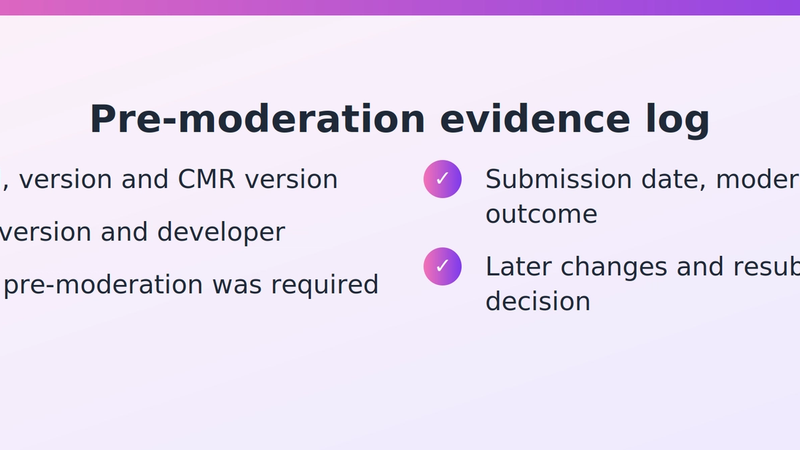
- Records. Does it keep decisions, versions and sign-offs in a form you can pull into self-review?
- Context and delivery mode. Can it handle different learner groups and delivery modes without a full rewrite each time?
- Output formats. Does it export to what your team already uses, such as Word or InDesign?
Can software replace external moderation or human sign-off?
No, and any vendor implying otherwise is a red flag. Consent and Moderation Requirements (CMRs) set by standard-setting bodies can add specific rules, including external submission.
For example, one CMR hosted by NZQA requires self-developed materials to be submitted to Skills for pre-assessment moderation and approval before use, with a stated fee of $75 per hour plus GST. Waihanga Ara Rau states there is no charge for pre-assessment moderation. Fees and rules differ by standard-setter, so check the CMR for each standard.
Internally, the same logic applies. A tool can build a traceable coverage map and flag gaps. A qualified person still reviews, moderates and signs off, and remains accountable for the result.
What's shifting that affects this purchase?
Three changes are worth factoring in.
- Self-review and monitoring. NZQA's Quality Assurance of Tertiary Education Providers Rules 2026 replace the 2022 rules and bring in annual self-review, reporting to NZQA, and monitoring that may include site visits. Your own records of moderation decisions and version history matter more as a result. Vendor blogs cite 19 January 2026 as the in-force date, but check it directly with NZQA.
- Who sets and moderates standards. The Amendment Bill provides for industry skills boards to replace workforce development councils, including moderation activities for standards they set. Sources differ on timing, so confirm your standard-setter for each standard you deliver.
- Skill standards. NZQA's 2026 programme rules reduce approval requirements for programmes consisting entirely of skill standards. Your tool should handle unit standards and skill standards, including re-mapping as standards convert.
What should you ask a vendor before you buy?
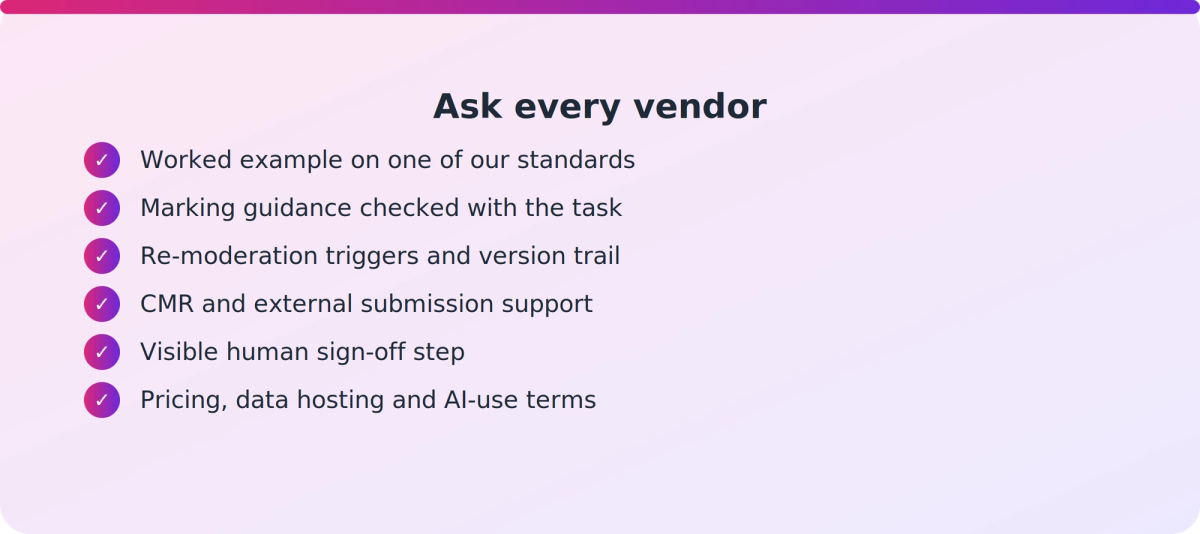
Put these to every vendor, in writing:
- Which parts of a standard does the tool check, and can you show a worked example on one of ours?
- Is marking guidance checked alongside the task?
- What triggers re-moderation, and how is the version trail kept when a standard converts?
- How does it support the CMR of our standards, including any external submission?
- Where is the human review step, and who signs off?
- What independent references or documented outcomes can you share, rather than logos or percentages?
- What does it cost, where is our data hosted, and what are the privacy, security and AI-use terms?
Be sceptical of numbers. No independent third-party reviews or benchmarks of comparable NZ tools turned up in our research. Figures like the "80% faster content development" reported in a Mast Academy case study are vendor-reported, and that content still went through the provider's own moderation before use.
Where does Supahuman VETos fit, and where doesn't it?
We'll declare our interest: we make VETos. Its NZ page describes helping PTEs, polytechnics and wānanga draft assessment tools, assessor guides, learner guides and mapping against unit and skill standards. Each assessment is checked for gaps before it goes to moderation. It routes work between authors, validators and quality leads, logs decisions, keeps every version, and works to your qualifications, unit standards and CMRs. It exports to Word and InDesign. Those are our own descriptions, not independently verified.
The limits matter just as much. AI can build a traceable coverage map but can't prove compliance on its own, and VETos materials say a qualified person reviews and signs off compliance-critical content. We don't publish pricing, data-hosting or security details on our sites, so ask us directly, as you would anyone. TEC and NZQA reporting is a bespoke build we don't cover yet, and some Supahuman pages are Australia-focused, with NZ claims mainly on the NZ page.
Our take
The best pre-moderation tool is the one that makes your moderator's job faster without making it optional. We'd rather see a provider buy a modest tool with clean version history and visible human sign-off than a flashy one promising "compliance". Run any shortlisted option on one real unit standard and one skill standard, then show the output to your moderator. If they can't see what was checked and what wasn't, keep looking.
FAQ
Does NZQA approve or certify pre-moderation software?
No. NZQA publishes no approved-tool list, software evaluation criteria or endorsement of any tool, so "NZQA-aligned" is a vendor's own description. Judge tools by what they demonstrably check against NZQA's requirements and your standard's CMR.
What should a pre-moderation tool check?
It should check coverage of the standard's outcomes at the required level, marking guidance, change control and re-moderation triggers, support for your CMR, and records of decisions and versions. It should also leave a clear human review step.
Can software replace external pre-assessment moderation or human sign-off?
No. Where a CMR requires external submission, software can't substitute for it. A qualified person must still moderate and approve materials before use with learners.
What should I ask a vendor before buying?
Ask for a worked example on your own standard, how re-moderation and version history work, how skill standards are handled, and what independent evidence exists. Ask about pricing, data hosting, privacy, security and AI-use terms directly, because they're often not published.
Next step
Before speaking to any vendor, list the standards you deliver, who sets each one, and what each CMR requires. That one-page map makes every demo easier to judge. If you'd like to see how VETos handles it, ask us to run one of your unit standards through it and bring your own moderator to review the output. Our general guide to unit standard assessment generator software covers the creation side.